
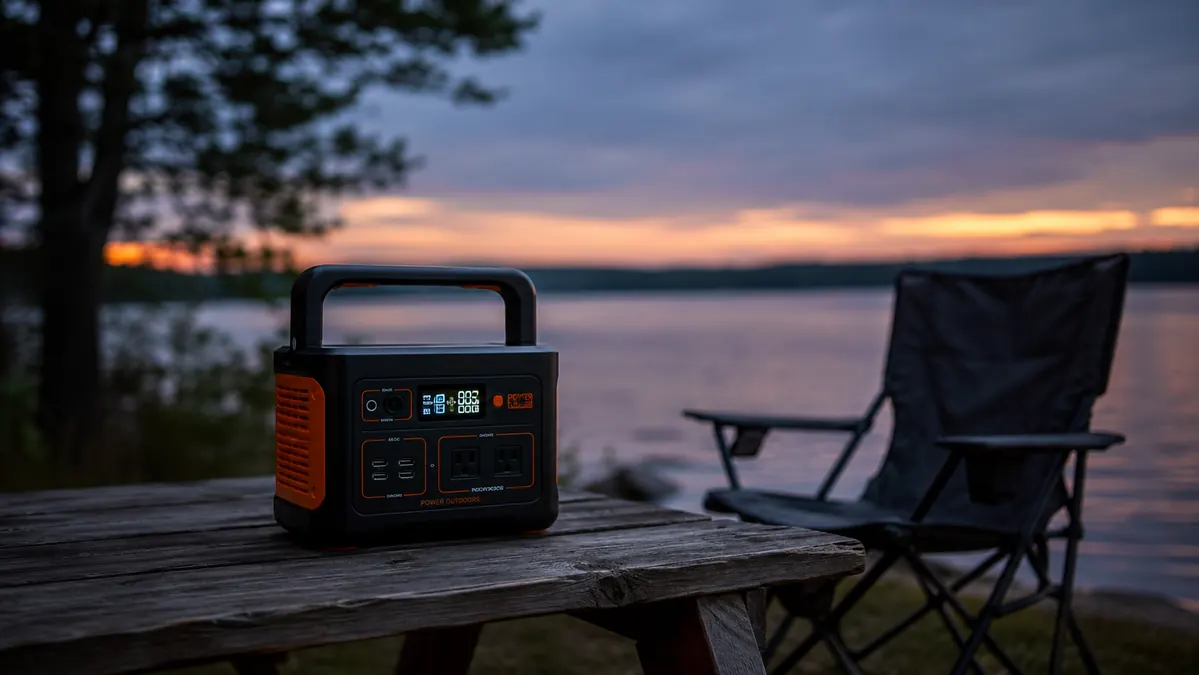
Six weeks after I bought my Anker 521, I almost talked myself into returning it, and it wasn't because it failed to charge anything. It was because I pulled it out of the truck bin for a random Tuesday trip and found it sitting at 61 percent instead of the 100 I'd left it at three weeks earlier. Nobody had used it. Nothing was plugged into it. It had just been sitting in a milk crate losing charge on its own, and that's the kind of detail that never makes it into a product listing.
That's the review I want to write here, the one that isn't about the good weekend where everything worked. My other write-up on this site covers the season-long, day-to-day use case. This one is about the stuff that only shows up if you own the thing for a while and pay attention to the parts that don't go according to plan. The Anker 521 is a genuinely useful piece of gear, but it has real limits, and some of them surprised me even after using power banks and jump starters for years.
The Quick Verdict
Solid for the basics, phones, lights, a small cooler, but it has real quirks around standby drain, fan noise, and cold-weather charging that the marketing copy conveniently skips.
Amazon Check Today's Price →Before you buy one, know what it actually can't do.
This review covers the honest limits of the Anker 521, not just the highlight reel. See today's price and specs for yourself.
Amazon Check Today's Price on Amazon →How I Actually Tested It
I didn't set out to write a critical review. I bought the Anker 521 the same way most people do, read a handful of glowing reviews, saw the LiFePO4 battery mentioned as a selling point, and figured a 256Wh unit would handle a weekend of phones and lights without drama. Most of the time it does. But I started keeping notes after that standby-drain surprise, because I wanted to know if it was a one-off or a pattern.
Over the following months I ran it through deliberately unglamorous scenarios instead of just camping trips. I left it fully charged and untouched for stretches of one, two, and three weeks to track self-discharge. I ran it at close to its rated 200W continuous load for an hour straight to see how the internal fan behaved. I charged it in a cold garage in January and again on a warm July afternoon to compare recharge times. None of this is exotic testing, it's just the kind of ordinary neglect and edge-case use that any owner eventually puts a piece of gear through.
I also kept a small notebook in the truck bin next to it, jotting down the percentage before and after each trip along with what was running. It's a low-tech way to test a battery, but three months of consistent notes told me more about how the Anker 521 actually behaves than any single weekend ever could. Patterns only show up once you've got enough data points to see past the noise of one unusually cold night or one unusually heavy load.
What I found is a mix. The battery chemistry genuinely is more forgiving than older lithium-ion units I've owned, and the unit as a whole is dependable for its intended job. But there's a gap between what the box promises and what actually happens once you push it slightly outside the easy weekend-camper use case, and that gap is what this review is really about.
The Standby Drain Nobody Mentions
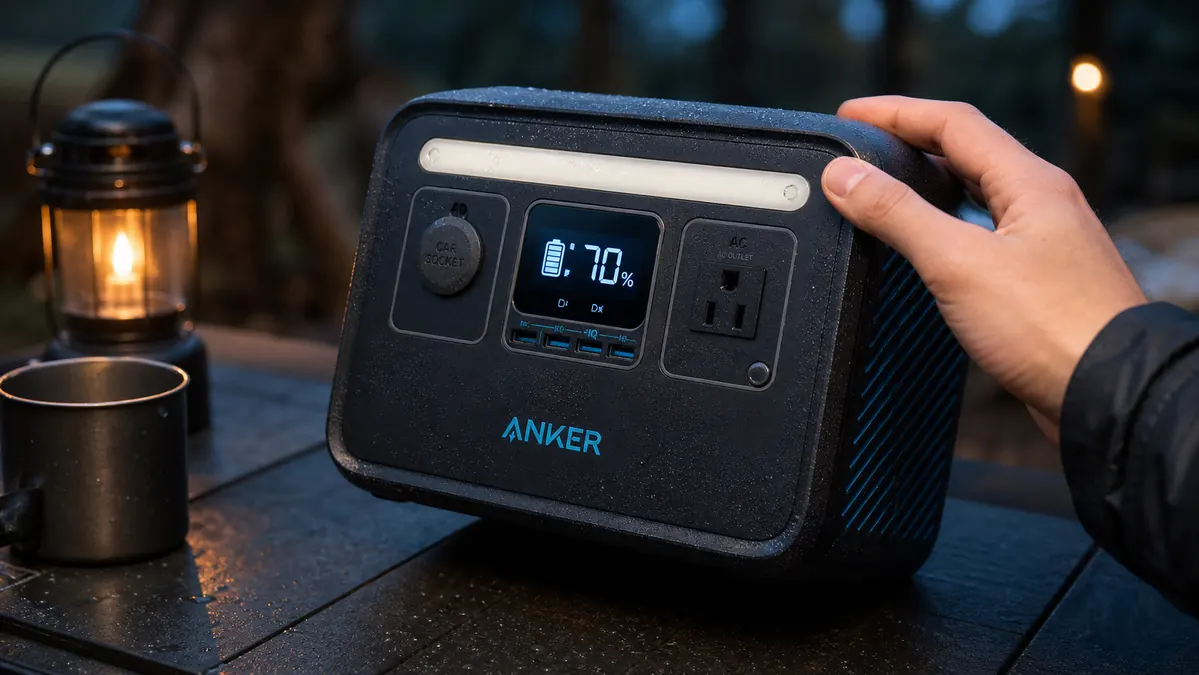
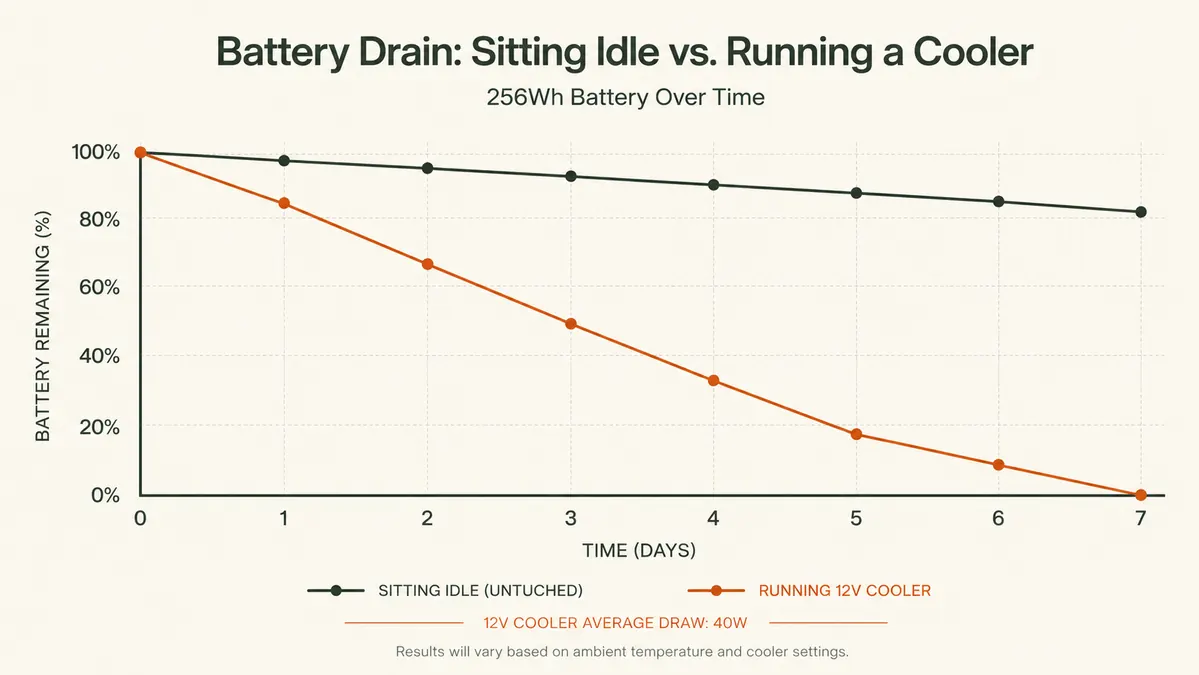
Every battery loses some charge sitting idle, that's not unique to Anker or to this unit. But the rate surprised me. Left fully charged and completely untouched, mine dropped roughly 4 to 6 percent per week just sitting in a garage at normal indoor temperature. Over a month of storage between trips, that's 15 to 20 percent gone before you've plugged in a single device. If you're the type who tops off the battery a month before a trip and then forgets about it, you'll show up expecting full power and get something noticeably less.
I ran this test three separate times across different seasons to make sure it wasn't a fluke tied to one particular storage spot, and the numbers landed close together each time, always in that 4 to 6 percent per week range regardless of whether the garage was warm or cool. That consistency told me it's just how the unit behaves at rest, not a defect in mine specifically, which is oddly reassuring even though the number itself is higher than I expected going in.
The fix is simple once you know about it, top off the night before you leave rather than weeks in advance, which is exactly the habit I now use and cover in more detail in this guide to keeping devices charged at camp. But it should be on the box somewhere, or at least in the manual in bigger print than a footnote. I only found the standby drain rate mentioned once I went digging through Anker's own support documentation after the fact, and even then the number was vaguer than what I measured myself.
The Fan Is Not a Quiet Companion
Product photos and marketing copy make the Anker 521 look like a silent little brick. It isn't, not once you push it. Running the cooler and charging two phones simultaneously, drawing somewhere in the 80 to 120 watt range, the internal cooling fan kicks on and stays on. It's not loud in an absolute sense, more like a small desk fan, but at a quiet campsite at 11pm with nothing else making noise, it's audible from ten or fifteen feet away, and it was noticeable enough that my camping neighbors at a state park once asked what the humming sound was.
Push it closer to its rated 200W continuous limit and the fan gets more insistent, not dangerously loud, but constant and a little whiny. It also doesn't shut off the instant a load drops, it tends to run for another minute or two afterward as it cools the internals back down, which caught me off guard the first time I unplugged the cooler and the fan kept spinning like it hadn't gotten the memo. If you're the kind of camper who values dead silence at night, and plenty of people are, this is worth knowing before you buy. It's not a dealbreaker for me, but it's not the silent operation some reviews imply either.
What 256 Watt-Hours Genuinely Cannot Run
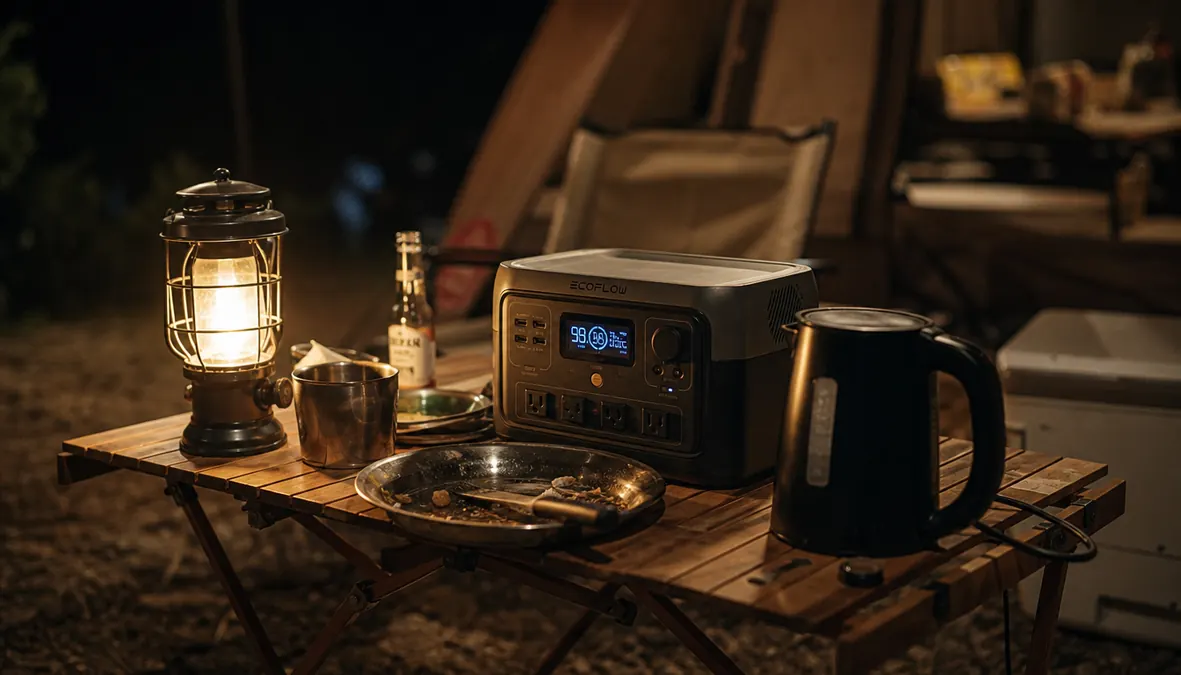
I want to be blunt here because the listing photos of the AC outlets make it easy to assume this thing can run whatever you'd plug in at home. It can't, and the limit isn't really the watt-hour capacity, it's the 200W continuous inverter (400W surge) that caps what you can run at any given moment, regardless of how much stored charge is left. Anything with a heating element is the first casualty. I tried an electric kettle at 6am hoping for fast coffee and got an instant overload shutoff instead. Same story with a small travel hair dryer a family member packed without checking the wattage first, and with a portable space heater a friend brought along on a cold-weather trip. All three drew well past what the inverter would push through, and all three tripped it immediately.
A drip coffee maker and a single-serve pod machine both went the same way when I tried them out of curiosity, and a cordless drill's fast charger tripped the inverter too, briefly, before I swapped it for a slower charger that stayed under the limit. None of these are exotic appliances, they're the kind of thing a lot of people assume a power station this size can handle simply because it has real AC outlets that look identical to the ones in your kitchen. The outlets look the same. What's behind them is not.
A CPAP machine is the other one worth calling out specifically, because it's a common reason people buy a unit this size. Most CPAP machines without a heated humidifier draw modestly and will run fine on the 521 for a full night, but add the heated humidifier stage and the draw climbs enough that you're eating into runtime fast, sometimes not making it through eight hours depending on the specific machine and settings. If a CPAP is the actual reason you're shopping for a power station, read your machine's wattage spec first and do the math against 256Wh before you assume this size covers you.
A full-size car fridge or anything marketed as a mini fridge rather than a 12V cooler is also out of range for sustained use. The compressor draw and the fact that fridges cycle less intermittently than coolers means you'll be recharging daily at best, more likely running dry mid-trip. If that's your use case, you want a bigger battery, and it's worth reading our comparison against the Jackery Explorer 300 to see how a different capacity handles that kind of continuous load.
Charging Speed Vs. the Advertised Numbers
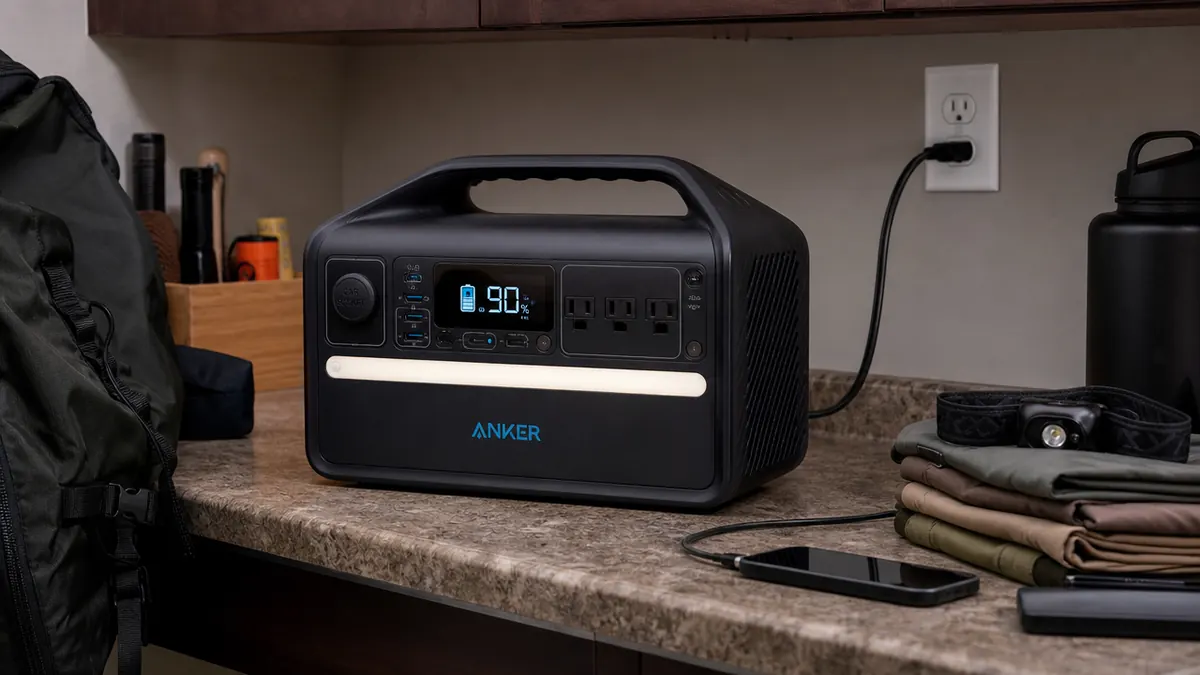
The spec sheet quotes a full recharge from empty in a bit over an hour with the included adapter, and in a warm garage in July, that roughly held up in my testing. In a cold garage in January, closer to freezing, the same charge took noticeably longer, more like an hour and a half to two hours, and the battery management system visibly throttled the charge rate at the start rather than accepting a full-speed charge right away. That's a known behavior of LiFePO4 chemistry protecting itself in cold temperatures, not a defect, but it means the advertised charge time is a best-case number, not a guarantee, and it's worth planning around if you're charging in an unheated garage or a cold vehicle before a winter trip.
The included wall adapter also runs noticeably warm to the touch during a full-speed charge, warm enough that I stopped leaving it sitting on a folded towel or anything else that traps heat. It's never tripped a thermal shutoff or shown any sign of an actual problem, but it's a detail worth knowing if you plan to charge it somewhere enclosed, like inside a closed vehicle in direct sun.
The other charging quirk worth knowing is that plugging in via a car's 12V socket is meaningfully slower than the wall adapter, slow enough that a short highway stop won't meaningfully top it back up. I made the mistake of assuming a 12V charge during a two-hour drive would get me most of the way back to full. It got me maybe a quarter of the way. If you're relying on drive-time charging as your main recovery method rather than a wall outlet the night before, temper your expectations accordingly.
Where the Ports Let Me Down
Six ports sounds generous until you try to use several at once at their advertised speeds. The 100W USB-C port genuinely delivers 100W when it's the only thing drawing power, useful for fast-charging a laptop. But add a second device on another USB-C port, or run the AC outlets simultaneously, and the total output gets shared across the unit's overall power budget rather than each port hitting its individual max. In practice that meant my laptop charged noticeably slower than expected on a night when I also had the cooler running off the AC outlet and a phone topping off on USB-A. None of the ports failed or malfunctioned, they just didn't all perform at their headline numbers at the same time, which is normal for a device like this but not something the port count on the box tells you.
The two USB-A ports are also the older, slower standard, fine for a phone overnight but noticeably behind the USB-C ports if you're trying to fast-charge anything modern. I moved my main charging cables over to the USB-C ports for anything that supports it and now use the USB-A ports mostly for older accessories and the camp lantern, which doesn't care either way.
What I Liked
- LiFePO4 battery genuinely handles repeated charge cycles better than older lithium-ion units
- Recovers close to its rated charge speed in warm conditions from a wall outlet
- Handles phones, lights, and a small cooler without drama on a normal weekend
- Display readout is accurate enough to trust without double-checking
Where It Falls Short
- Loses 4-6 percent of charge per week just sitting idle in storage
- Cooling fan is genuinely audible under moderate to heavy load, not silent
- 200W inverter instantly shuts off anything with a heating element
- Cold-weather charging is slower than the advertised spec
- Shared port power budget means simultaneous devices don't all hit advertised speeds
It's a good weekend tool with a spec sheet that quietly leaves out everything that happens outside a good weekend.
Who This Is For
If you're a weekend car camper who wants a straightforward way to keep phones and a lantern charged and maybe run a small cooler for a couple of days, the Anker 521 still does that job reliably once you know its habits. The standby drain, the fan noise, and the inverter limits are all manageable if you top off the night before, don't expect silent operation, and don't try to run anything with a heating coil. Read the season-long use review for the day-to-day picture that pairs with everything above, and see our case for power stations over generators if you're still deciding on the category.
It's also fine for anyone who just wants a backup for occasional power outages at home, provided the expectations stay realistic, phones and lights and maybe a router, not a full fridge and a sump pump running for days on end.
Who Should Skip It
Skip this one if you need to charge appliances with heating elements at camp, whether that's a kettle, a hair dryer, or a space heater. Skip it if you're relying on a CPAP with a heated humidifier and haven't checked the actual wattage against 256Wh. And skip it if you're storing it for long stretches between trips without topping it off close to departure, because the standby drain will leave you with less than you think. For any of those cases, either a bigger-capacity unit or a different power source built for continuous heavy loads is the better fit, not this one.
Also skip it if silence at camp is non-negotiable for you. The fan is not offensive, but it is present under real load, and there's no way to disable it without stopping whatever's drawing the power that's triggering it in the first place.
Know the limits going in, and it's still a good buy.
Once you plan around the standby drain and the inverter ceiling, the Anker 521 covers the basics well. Check today's price before your next trip.
Amazon Check Today's Price on Amazon →